TripGuide eSIM Comparison
Best eSIM for Mexico City World Cup 2026: Mobile Data for Match Days and Fan Zones
Compare Saily, Airalo, Yesim, Drimsim and GigSky for Mexico City World Cup 2026 travel, including MEX airport arrivals, Mexico City Stadium trips, fan zones, ride apps and maps.
Verified for 2026 • Updated regularly
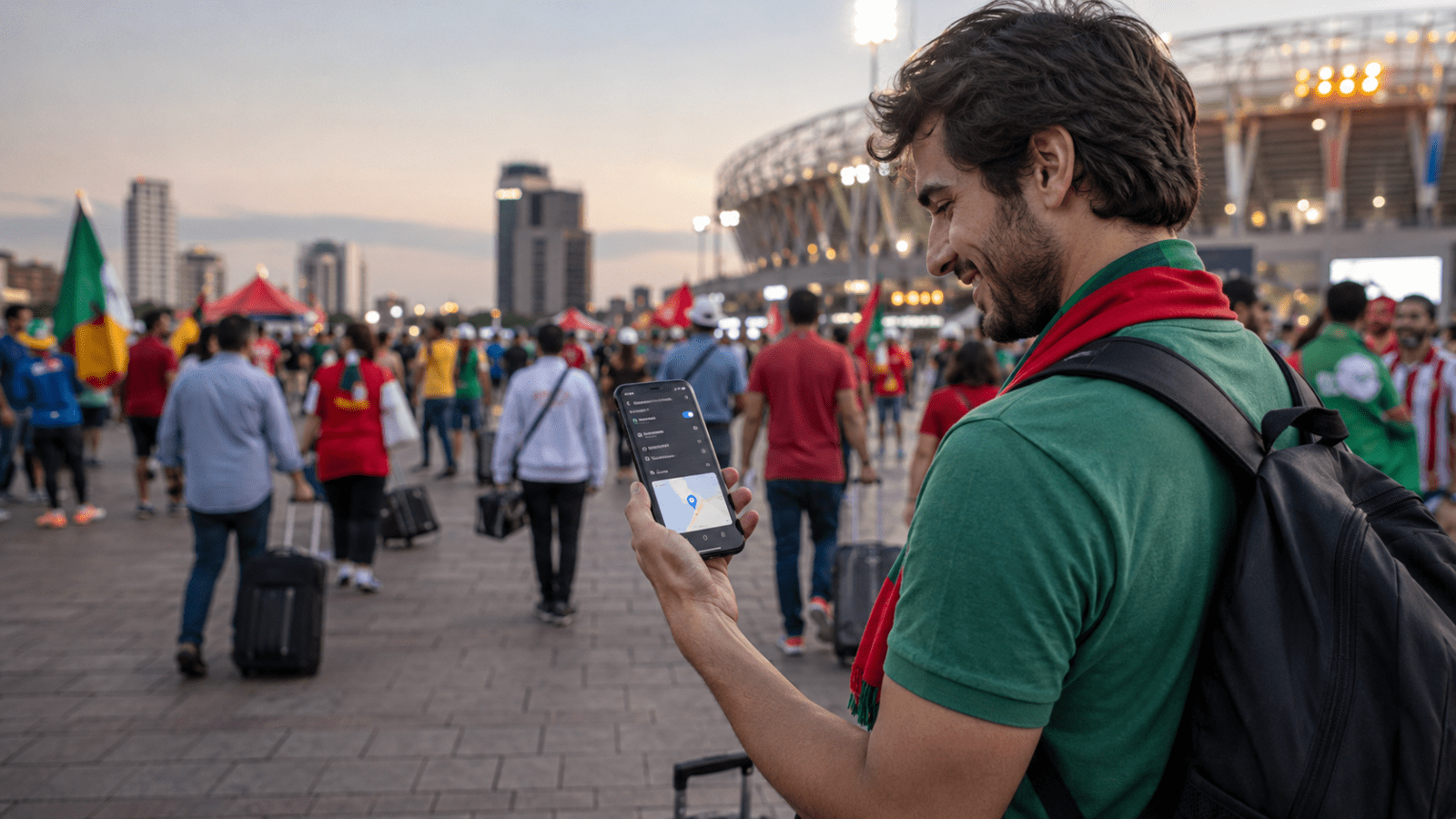
Mexico City World Cup 2026 eSIM options at a glance
 SEasy setupSaily
 AMarketplaceAiralo
 YHeavy dataYesim
 DPay-as-you-goDrimsim
 GBackup/globalGigSky
Mexico City World Cup 2026 eSIM data calculator
Estimate the data size and plan validity to check before buying an eSIM for Mexico City World Cup 2026.
Trip data planner
Estimate validity and data size before buying.
Select arrival
Select departure
Add your trip details to get a quick estimate.
Trip lengthAdd dates
Plan validityAdd dates
Data sizeChoose usage
Start withChoose preference
Also compare-
NoteConfirm price, validity, activation and hotspot rules before buying.
Provider comparison
Compare the five eSIM options by setup style, data range, validity and trip fit.
Plan details can change. We checked visible provider information at drafting time, but always confirm the latest price, data, validity and hotspot rules before buying.
| Provider | Best for | Price | Data | Validity | Plan note | Link |
|---|---|---|---|---|---|---|
| SSailyOption 1 | Easy setup | From US$8.99 | 2 GB–Unlimited | 5–30 days | Saily is a strong first check for Mexico City match trips because its Mexico page shows fixed data and unlimited options. | Check Saily |
| AAiraloOption 2 | Familiar marketplace | From US$4.00 | Not listed clearly | 3–30 days | Airalo is worth comparing for straightforward Mexico packages; review the selected plan data before checkout. | Check Airalo |
| YYesimOption 3 | Heavy data | From €6.30 | 1 GB+ + unlimited | 1–30 days | Yesim suits heavier users who want prepaid or unlimited-style choices for maps, social media and ride apps. | Check Yesim |
| DDrimsimOption 4 | Pay-as-you-go | €0.01/MB | Pay-as-you-go | No expiry / PAYG | Drimsim charges by traffic used in Mexico and can be useful as a flexible backup instead of a fixed bundle. | Check Drimsim |
| GGigSkyOption 5 | Backup/global trips | Country unavailable | Regional/world | Varies by plan | GigSky's Mexico country tab showed temporary unavailability; compare regional, world or cruise options if relevant. | Check GigSky |
SSailyOption 1Easy setup
From US$8.99 2 GB–Unlimited 5–30 days
Saily is a strong first check for Mexico City match trips because its Mexico page shows fixed data and unlimited options.
Check SailyAAiraloOption 2Familiar marketplace
From US$4.00 Not listed clearly 3–30 days
Airalo is worth comparing for straightforward Mexico packages; review the selected plan data before checkout.
Check AiraloYYesimOption 3Heavy data
From €6.30 1 GB+ + unlimited 1–30 days
Yesim suits heavier users who want prepaid or unlimited-style choices for maps, social media and ride apps.
Check YesimDDrimsimOption 4Pay-as-you-go
€0.01/MB Pay-as-you-go No expiry / PAYG
Drimsim charges by traffic used in Mexico and can be useful as a flexible backup instead of a fixed bundle.
Check DrimsimGGigSkyOption 5Backup/global trips
Country unavailable Regional/world Varies by plan
GigSky's Mexico country tab showed temporary unavailability; compare regional, world or cruise options if relevant.
Check GigSkyHow we compare providers
We order providers by traveler value first: country fit, plan usefulness, setup ease, data amount, validity, hotspot support, price/value and reliability. Affiliate commission is considered last and does not decide the order.
Best eSIM providers for Mexico City World Cup 2026
SSaily
Best for setupSimple setup-focused eSIM option with fixed data plans.
PriceFrom US$8.99
Data2 GB–Unlimited
Validity5–30 days
AAiralo
Easy packagesFamiliar eSIM marketplace option with local or regional plans.
PriceFrom US$4.00
DataNot listed clearly
Validity3–30 days
YYesim
Heavy dataUseful to check for larger data or unlimited-style options.
PriceFrom €6.30
Data1 GB+ + unlimited
Validity1–30 days
DDrimsim
Pay as you goPay-as-you-go style eSIM/SIM option for flexible travel data.
Price€0.01/MB
DataPay-as-you-go
ValidityNo expiry / PAYG
GGigSky
Backup optionsUseful for backup, regional, cruise or specialty travel data options.
PriceCountry unavailable
DataRegional/world
ValidityVaries by plan
Which eSIM should you choose?
Short trip
For one or two match days in Mexico City, start with Saily for setup-focused fixed data, then compare Airalo if you want a simple short-validity package.
Longer trip
For a longer Mexico trip around World Cup 2026, compare Saily and Yesim first because both show Mexico options that can cover multi-day city travel.
Heavy data
For heavy maps, video, social posting or hotspot use, compare Yesim unlimited-style plans with Saily unlimited options and check fair-use details before checkout.
Pay-as-you-go / backup
Use Drimsim mainly as a pay-as-you-go backup if you prefer traffic-based pricing instead of a fixed data bundle.
Mexico City World Cup 2026 mobile data essentials
Quick local details to check before choosing an eSIM for airport arrival, city use and calling apps.
Main airportBenito Juárez International Airport (MEX)
Main citiesMexico City Stadium, Centro Histórico, Roma-Condesa and fan zones
Local networksTelcel, AT&T Mexico and Movistar are key local networks; roaming partner can vary by eSIM brand.
Airports
- Main arrival: Benito Juárez International Airport (MEX)
- Note: Confirm airport arrival data needs before choosing a plan.
Tourist cities
Mexico City Stadium, Centro Histórico, Roma-Condesa and fan zones
Local networks
Telcel, AT&T Mexico and Movistar are key local networks; roaming partner can vary by eSIM brand.
4G/5G
Mexico City is an urban market with broad 4G/5G availability, but stadium crowds can slow speeds during peak match movement.
SIM rules
Accepted ID requirements may apply for local SIM purchases. Travel eSIM checkout is online, but local visitor SIM rules can change.
WhatsApp/VoIP
Most travel eSIMs are data-only, so keep WhatsApp, FaceTime, Telegram or another calling app ready for match-day messages.
Airport SIM vs eSIM in Mexico City World Cup 2026
For Mexico City World Cup 2026 arrivals, an eSIM is usually easier to prepare before landing at MEX. Airport SIMs may still work for some travelers, but counter hours, accepted ID requirements, package prices and recharge options can change.
eSIM advantages
Good for short stopovers, late arrivals and travelers who want mobile data ready before leaving the airport.
Airport SIM checks
Check airport SIM counter hours, accepted ID requirements, package prices, 5G claims and recharge options before buying.
How much data do you need?
1–3 GB
Light use
Maps, messaging, email and occasional searches. Good for short trips with hotel Wi-Fi.
5–10 GB
Standard use
Navigation, social media, ride apps and browsing. Better for most travelers.
20 GB+ / unlimited-style
Heavy use
Video, hotspot, remote work and cloud backups. Check hotspot and fair-use rules.
How to install an eSIM before travel
- 1
Check that your phone is unlocked and supports eSIM.
- 2
Choose a provider and plan that fits your trip length.
- 3
Buy from the provider's country page.
- 4
Install the eSIM on stable Wi-Fi before departure.
- 5
Follow the provider's activation and roaming instructions.
- 6
Keep the provider app or email instructions for troubleshooting.
Common mistakes
Buying without checking validity
A cheap plan may not cover the full trip. Always compare validity beside data amount.
Assuming hotspot is included
Hotspot rules vary by provider and plan. Check the provider page before buying.
Activating too early
Some plans may start counting validity after installation or activation. Follow the provider's current instructions.
Relying on unverified local details
Airport SIM details, 5G coverage, local network partners and registration rules can change. Confirm current details before buying.
Make Travel Easy
Useful travel services for Mexico City World Cup 2026.
Radical Storage
Store bags before check-in, after checkout or during a stopover.
View luggage storage
Welcome Pickups
Book a reliable ride between the airport and your hotel or city stop.
View airport transfers
Booking.com
Compare places to stay near your arrival area, transit route or main sights.
View hotels
Klook
Find guided tours, tickets and local experiences for your itinerary.
View toursEKTA
Check cover for medical needs, trip disruption and lost belongings.
View insurance
NordVPN
Protect browsing on public Wi-Fi in airports, hotels and cafes.
View VPNSome links are affiliate-supported and may earn TripGuide a commission at no extra cost to you.
More TripGuide guides for this trip
Luggage storage in Mexico CityStore bags near transport hubs before check-in, after checkout or before a match-day plan.
TripGuide travel guidesBrowse destination guides and planning ideas for Mexico and nearby trip extensions.
Luggage storage in GuadalajaraUseful if your Mexico World Cup route also includes Guadalajara match travel.
Luggage storage in CancúnHandy for Mexico beach add-ons before or after your World Cup itinerary.
FAQs
There is no single best eSIM for every traveler. Compare Saily, Airalo, Yesim, Drimsim and GigSky by trip fit, data amount, validity, setup ease, hotspot support and price/value.
Light users may only need 1–3 GB for maps, messaging and email. Standard travelers may want 5–10 GB for navigation, social media and ride apps. Heavy users, remote workers or hotspot users should compare 20 GB+ or unlimited-style plans.
Yes. Use the TripGuide eSIM planner on this page to estimate your trip length, plan validity and likely data range. Treat it as a guide only and confirm final plan details on the provider page.
Some eSIM plans support hotspot, but rules vary by provider and plan. Check hotspot support, fair-use limits and speed restrictions on the provider page before buying.
For many trips, buying and installing an eSIM before departure is easier because you can use stable Wi-Fi. Follow the provider’s activation instructions so the plan does not start earlier than expected.
Airport SIM prices can change and may depend on available visitor packages, registration rules and counter hours. Compare airport SIM options with eSIM plans before arrival.
This guide currently compares five eSIM options: Saily, Airalo, Yesim, Drimsim and GigSky. TripGuide may review additional providers in the future if they are relevant for travelers.
Sources & References
Sources include provider plan pages plus official telecom, airport or event references. Always confirm current prices, data limits and availability before buying.
Written by TripGuide Editors. Opinions are our own, based on research online and offline.